
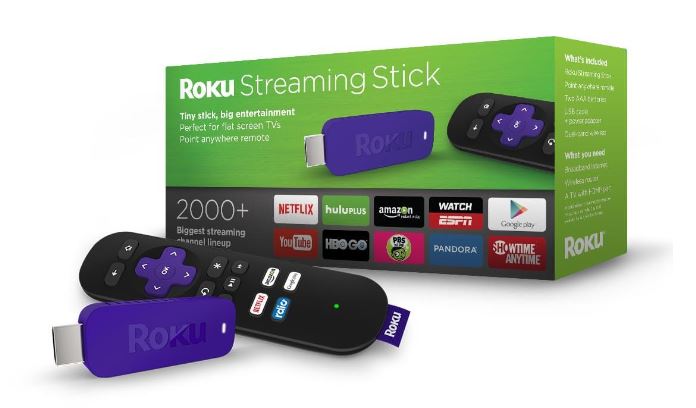
 Have needed to find a simple inexpensive, portable way to watch streaming TV/Videos when we’re away from home and finally settled on the Roku Streaming Stick. I know we’re late to the streaming box/stick game but the Roku Stick is a great device that performs extremely well and at $49 is an amazing deal.
Yes, I know between my various Windows tablets, my wife’s iPad and our phones there are other options for streaming on the go but we wanted something with a remote that easily connected to and drove a larger screen/TV and looked, acted and was as simple as pointing a remote at the TV and going, and the Roku delivers.
Set up is simple, you plug the stick directly into an HDMI input on the monitor/TV, plug it in to power, enter your WiFi password and add the “Channels” that you want. I added the primary channels we use and subscribe to as well as free streaming services including: Amazon Prime, Netflix, Showtime Anywhere, HBO Go, Watch ESPN, PBS. TWIT.tv and several others and tested it at a cabin in Eastern Washington that has basic cable service and reasonable, but not high-speed, internet.
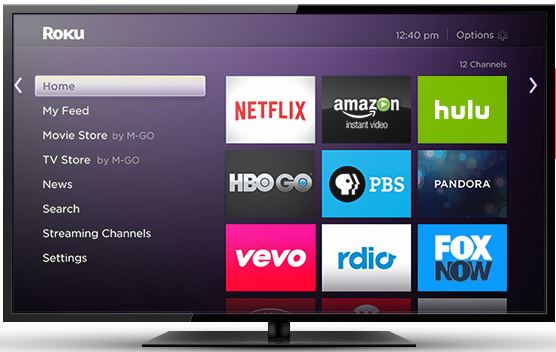
Performance was great and even streaming to a 36″ screen there was no lag or pixilation, the navigation of the screen is simple and straight forward and I was super impressed.
In addition to the included remote there is a remote app for iOS, Android and yes, amazingly enough, Windows Phone.
The Roku Stick does not yet support voice search and I know the larger streaming boxes like the Roku 3, Amazon Fire TV and Apple TV do support voice, but these are larger, less portable solutions, with significantly higher prices, so for us, the Roku Stick hits the sweet spot.

 clarkb...