
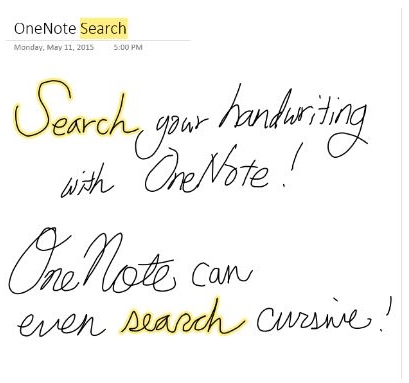
 Way back in the old days of 2003, when Windows Tablet Computers first hit the market, OneNote 2003 had the most amazing feature to complement the tablets that came with a pen/stylus: the ability to search for a word or phrase, and whether it was in a note you typed, or one you had written by hand with the stylus, it would find all pages that contained that word.
You didn’t have to do OCR to convert the handwritten notes to text characters, you could write in either cursive or print, and OneNote would find what you were looking for. And had Windows Tablet Computers not been big, hulking, battery draining monsters, this feature alone may have driven what was then a whole new category of devices.
But because of their limitations, the early Windows Tablet PCs never caught on, and despite the fact that later versions of OneNote retained their ability to capture handwriting, the handwriting was not searchable unless you converted the page to text.
Flash forward to today and with iPads, Android tablets, and Windows tablets like the Surface 3, we have devices that are light, thin, easy to hold and have great battery life, and OneNote runs across all those devices.
To be clear, not all tablets support a pen/stylus, and not all pens and stylus’s are created equal, but for those that do, like the Surface 3, we now have the right combination to make hand written note taking a daily occurrence, and with todays release of the latest update to OneNote, you can now search those hand written notes.
Hmmmm, I may just need to re-visit purchasing a Surface 3.
You can find more information here.

 clarkb...
I too thought it was a very cool feature. But apparently I never used it because I didn’t know it had gone missing 🙂