
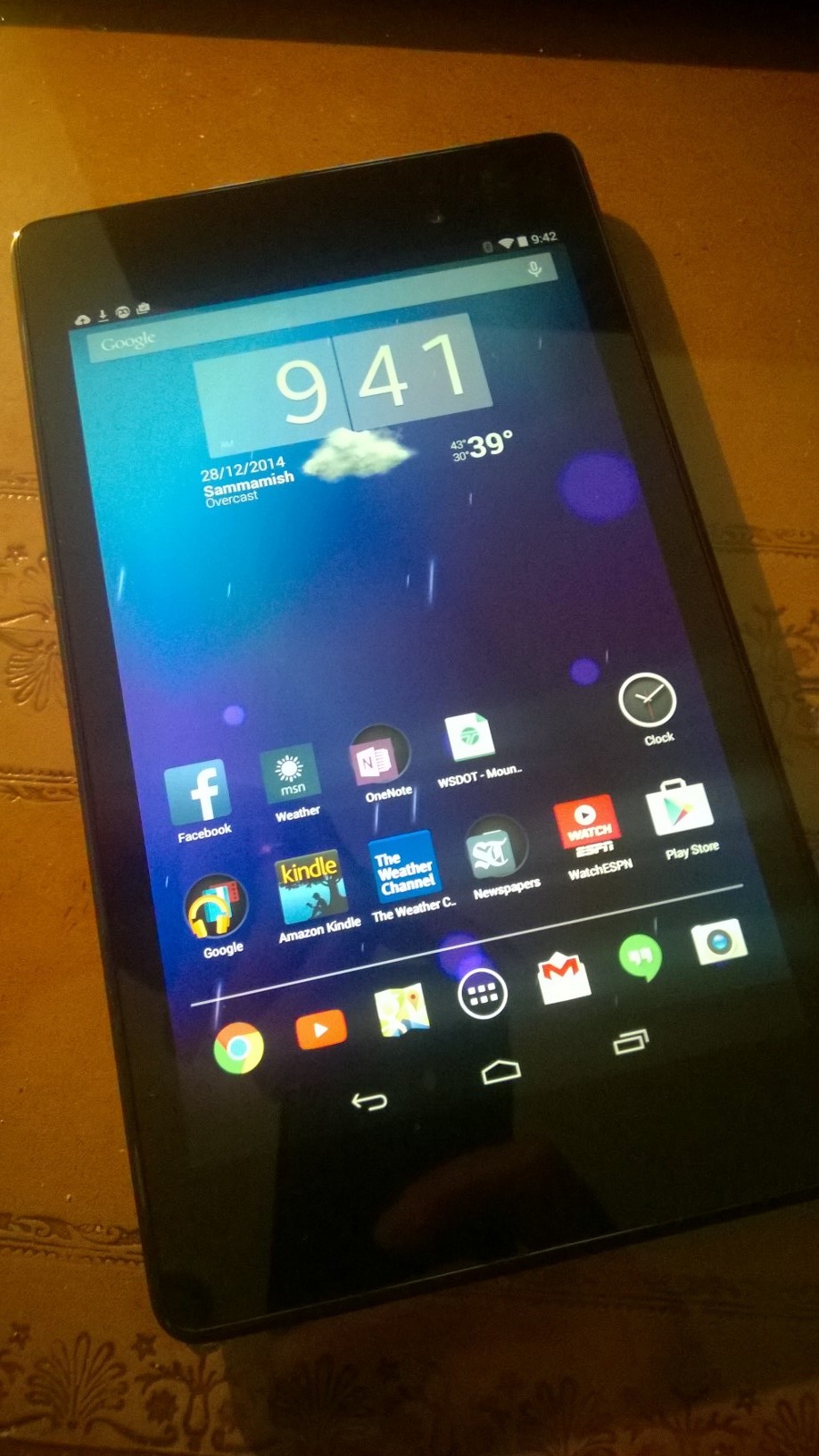
 Yes, you read that correctly, I received a Google Nexus 7 tablet for Christmas . And no, this wasn’t some poetic justice in a White Elephant gift exchange, I asked for one, and there is a lot to like about it.
Given the Nexus 7 (2013 edition) was released 18+ months ago it’s by no means a “new” device, though mine was brand new, un-opened, from a major US retailer. With entertaining, traveling and celebrating the holiday I haven’t had a ton of time to play with it but here are my quick first impressions.
This will not be an extensive review as the device has been in market so long, so I will focus more on the “newness” of using Android for a devoted Windows and Windows Phone user.
For many of you this will be “Really Clark? You’re just now figuring out Android?” but bear with me, as a wise man once said “If I’ze can change, and you’ze can change, we all’ze can change”.
First, why?
Several things really; to begin with, several weeks ago, a friend asked me “Clark, if you hadn’t worked for Microsoft would you still have chosen Windows Phone?” An interesting, and almost impossible question for me to answer. My first smart phone was Pocket PC based and I followed the evolution though Windows Mobile and Windows Phone. And with Windows 8 adopting a similar, Live-Tile styled UI, there is a great deal of similarity between Windows phones and Windows tablets.
Like anything you have used for years, and evolved with, you know it, you understand it, it’s become second nature. I’ve tweaked my phone to fit how I live and work, it surfaces the things I’ve set up as most important to me. The way you can personalize and customize Windows Phone is pretty powerful and I know instinctively where everything is and the Live Tiles offer more utility than just static app icons. So it’s hard to say if I were starting with a blank slate today whether I’d choose Windows Phone or not… even though 96%+ of phone purchasers don’t.
Secondly, I feel the big value in mobile and computing is in the services and ecosystems, and these are moving cross-platform at an increasingly broad and rapid pace. This allows us as consumers to choose the hardware we like best, and mixing and matching that hardware, yet still maintaining the benefits of our stuff synced and shared, so we have it wherever and whenever we need it on the device that is most convenient at the time. Think about it, what if each television network built their own TV sets and you had to decide if you were an ABC, CBS or NBC person? No, you want to pick what you think is the best, coolest TV, you want to have several different models and sizes, but you still want access to all the channels.
We have an iPad in the family, but we don’t have any Android devices, and I want to understand all the ecosystems better.
But Why the Nexus 7 vs the Much Newer Nexus 9?
Ahhh, the search for the elusive, and highly subjective, perfect form factor. Tablets started getting smaller, phones started getting bigger, tablets started moving back up the size scale… What’s the perfect mix of sizes? I don’t think anyone knows yet but for me, who owns the gamut of screen sizes including: 4.5″, 6″, 7″, 8″, 9.7″, and 10.6″, I wanted as much screen size as I could fit in an easily pocketable device.
I don’t want to carry it all the time, but when I’m going to a coffee shop, or someplace where I am going to sit and read for a while, I wanted to see if a 7″ form factor worked. My 8″ tablet is a bit too larger to comfortably carry in my pocket and I carried a 6″phone for a while and while the larger screen size was nice for consumption, always having to use two-hands was awkward and limiting for me. There are just too many times when I need to easily use my phone with one-hand.
This actually all kind of goes away when flexible OLED displays, or something equivilant is developed, that lets us have a 4.5-ish sized device that allows us to extend/un-scroll the screen when we want a larger view.
So here are my thoughts so far:
Beautiful Hardware:
As has been widely covered, this is a beautiful piece of hardware; thin, light, with a rubberized back and slight ridge around the perimeter of the device make it extremely easy to hold. Micro USB means I have lots of chargers that fit and will work with the Nexus 7 and it’s narrow profile makes it very easy to slip into your pocket.
A minor detraction are the relatively wider bezels on the top and bottom of the screen. Supposedly this is to allow easier gripping when playing games in landscape mode but it does give the device a bit more of an oblong feel.
And at ~ $250 for 2GB of memory and 32GB of storage there is huge bang-for-your-buck. Granted, for pure $/value ratio the Amazon Kindle Fire’s are hard to touch but I wanted to run unmodified Android and be able to install the latest update, Lollipop, once the stability issues are ironed out.
Lot’s of Apps, with a Long Tail:
While there’s not doubt Microsoft has made up ground in the list of bigger name apps now being available on Windows and Windows Phone there is a much broader array of smaller, second tier apps for both Android and iOS. Things like the Summit-at-Snoqualmie mobile app and the WSU Gameday app are available for Android and iOS, but not Windows.
And until Microsoft delivers Windows 10 and support for Adaptive UI, which will allow apps to look and act differently based on the size of the screen, equivalent apps like TuneIn Radio written for a smaller Android screen look and work better on a ~7″ screen compared to the full Windows 8.x version trying to be scaled down to an 8″ screen.
Android Widgets, Overrated?
I need to spend more time playing with these, and need some input from my Android using friends, but I’m a bit underwhelmed by Widgets , especially compared to the Live Tiles on Windows Phone and Windows. While there are lots of Widgets to choose from, adding more than 1 or 2 to your home screen starts to make it look a bit jumbled and messy. And when your home screen is a combination of Widgets and Apps/icons, it really starts to look klugey in my opinion.
As I noted above, I have a lot more learning to do on Android. I also need to figure out if I want to go all-in on the Google ecosystem on my Nexus 7 or run all Microsoft services on the device. The nice thing is with all the apps and services being available cross platform I have the option to do either, or both.

 clarkb...